

Rockville’s maps are a product of its geographic information system (GIS), a computer-based tool that combines hardware, software, and data to store, display, and analyze information with a geographic or locational association.
At its core, the City of Rockville is a geographic entity, defined by its land area and everything within its boundaries. Many physical and virtual assets are tied to specific locations in the city. Rockville’s GIS data includes streets and property parcels, zoning and neighborhoods, water, sewer and storm drain utilities, parks and city facilities, and numerous other datasets.
Using GIS analysis can lead to better decision-making by answering questions and solving problems
related to location, density, spatial patterns, proximity, and changes over time. Because GIS data is
visualized through maps, it helps make complex information easier to understand.
Featured Maps
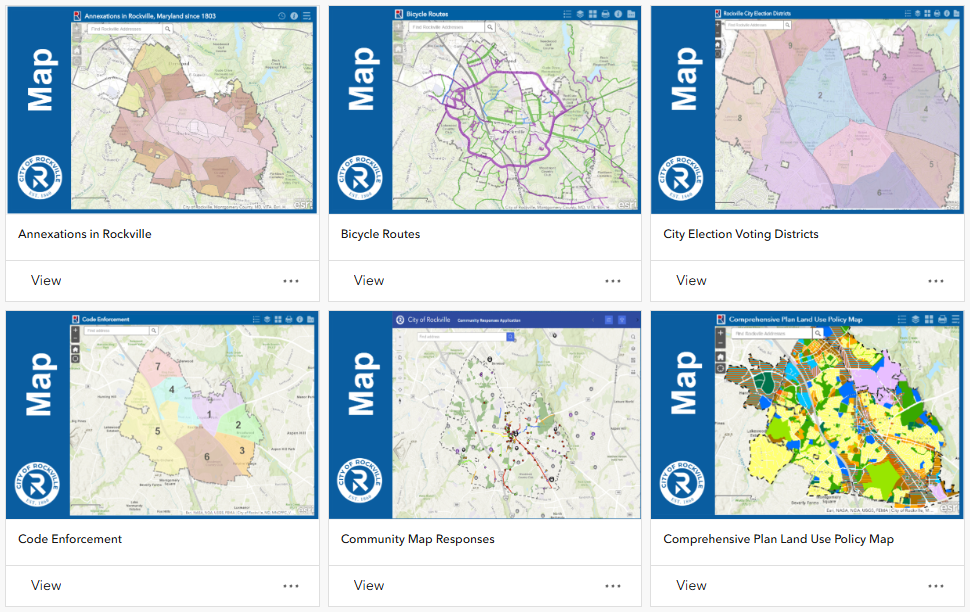
Map Gallery
The map gallery is a searchable collection of maps in one convenient place. Most maps include an
“About” tool that opens a user guide with tips on how to use them.
Open Data
GIS data managed by the City of Rockville is available to the public through Rockville’s GIS Open Data website. There, users can discover, examine, and download data in a variety of formats for mapping and analysis.
Access and Use Constraints
The City of Rockville provides GIS maps and datasets for public use and sharing “as is.”
Each dataset or map may be derived from various sources of differing quality and accuracy. The city does not guarantee accuracy, completeness, correctness, or currency. Maps are for informational purposes only and are not suitable for legal, engineering, or surveying purposes, or for any other site- specific use. They do not represent an on-the ground survey and provide only an approximate location of property boundaries and other features.
Datasets and maps are provided “as is,” without warranty of any kind, either expressed or implied, including, but not limited to, the implied warranties of merchantability and fitness for a particular purpose.
The City of Rockville assumes no responsibility or liability for any errors, omissions, or inaccuracies in the datasets or maps, regardless of cause. The city is also not responsible for any decisions made, actions taken, or actions not taken by users in reliance on the provided maps or data. Users assume the risk that the information may be inaccurate.
Contact
Willie Choi
Information Technology Department
240-314-8164
wchoi@rockvillemd.gov
Hours
Monday – Friday
8:30 a.m. – 5 p.m.
Address
Rockville City Hall
111 Maryland Ave.
Rockville, MD 20850